
E-invoicing readiness is often treated as a template problem. Change the invoice layout, add a few fields and the job
is done. For businesses running industry or custom ERPs, real e-invoicing readiness goes much deeper. Fabrication,
contracting and rental systems store prices, taxes and customer data in their own ways. This article explains what
changes beyond the template, where custom systems usually break, and how to run a practical assessment well before
your UAE e-invoicing deadline.
Key Takeaways
- E-invoicing readiness depends on data, tax logic, corrections and integration, not on the look of the invoice.
- Industry and custom ERPs often need code changes rather than settings, so they need more lead time.
- A short, structured assessment shows the real scope before you compare e invoicing solutions or budgets.
Why the Template Is the Smallest Part of the Job
Under the UAE system, an invoice is no longer a document designed for people.
Ministerial Decision No. 243 of 2025
defines an electronic invoice as one issued, transmitted and received in a structured format that allows automatic
processing. The receiving system reads data fields, not a layout.
That changes what matters. A logo, a font or a nicely arranged table adds nothing to compliance. What matters is
whether every required value exists in your ERP, in the right structure, every time. Decision 243 says the Ministry
prescribes these data fields, so your system must hold each one as data rather than as free text.
For standard accounting packages, vendors usually release updates that add these fields. For industry and custom ERPs,
nobody may do it for you. Your system was built around your operations, so e-invoicing readiness must be built around
them too. That is why custom systems need an earlier start and a more careful assessment.
The work also reaches beyond the finance team. Sales staff create the customer records. Operations teams record
deliveries and progress. Procurement receives supplier invoices. Each of these steps feeds the invoice, so each one
belongs in your readiness plan.
Receiving matters as much as sending. Your suppliers will also move to electronic invoices, and Decision 243 requires
recipients to process them through the system. A custom ERP built only to print outgoing invoices may have no way to
import structured supplier invoices. Check the purchase side early, because it often gets less attention than billing.
Where Industry and Custom ERPs Need Real Changes
Gaps in custom systems tend to fall into four areas. Each can stop an invoice from passing validation, and each needs
a different kind of fix.
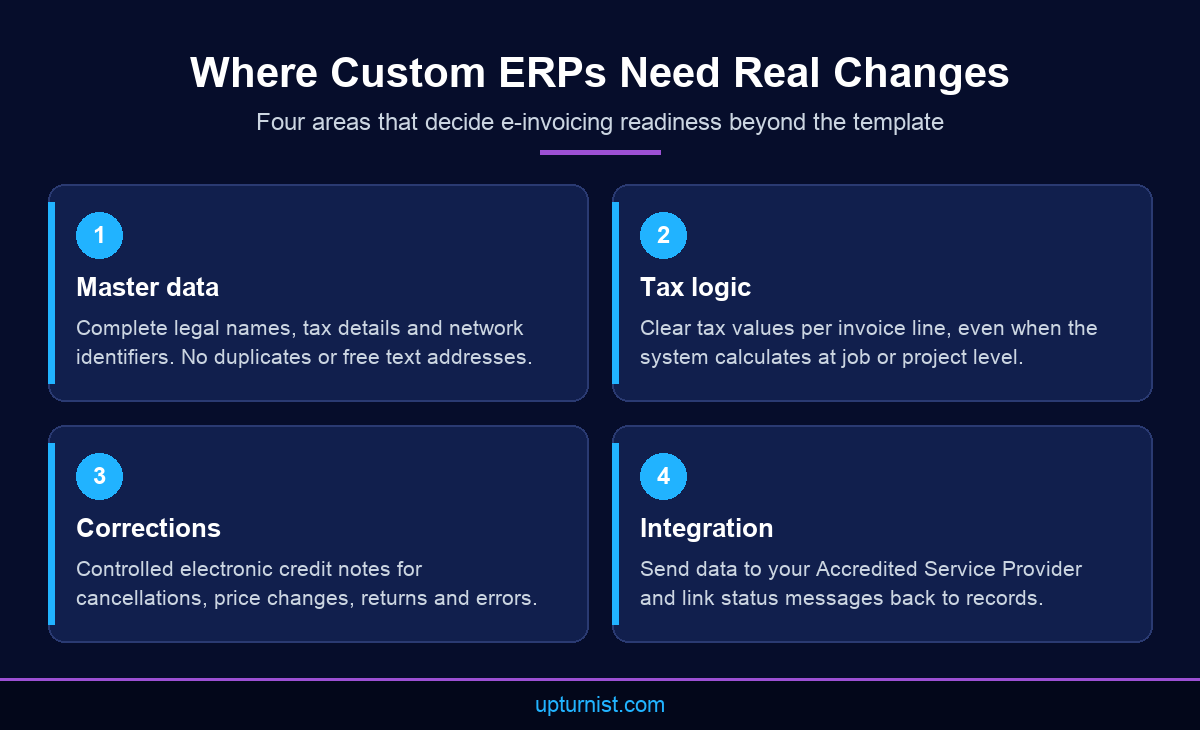
Master data comes first. Customer and supplier records need complete legal names, tax details and network identifiers.
Custom systems often allow duplicates or store addresses as one block of text. Tax logic comes next. Fabrication and
contracting systems may calculate tax at the job or project level, while an electronic invoice needs clear tax values
per line.
Corrections are the third area. Decision 243 requires an electronic credit note when a transaction is cancelled, when
the price is reduced, when consideration is returned, or when an administrative or numerical error occurs. Systems
that allow invoices to be edited after issue need a new, controlled process. Progress billing and retention, common in
contracting, need careful review here.
Integration is the fourth area. Invoices must pass through an Accredited Service Provider, which then returns status
messages. A custom ERP needs an interface that sends invoice data, receives responses and links them to the right
records. Our technology consulting team designs
these integrations around your existing systems.
A Practical E-Invoicing Readiness Assessment
A good e-invoicing readiness assessment is short and structured. It turns a vague worry into a list of tasks with
owners and estimates. The five steps below work well for industry and custom ERPs.
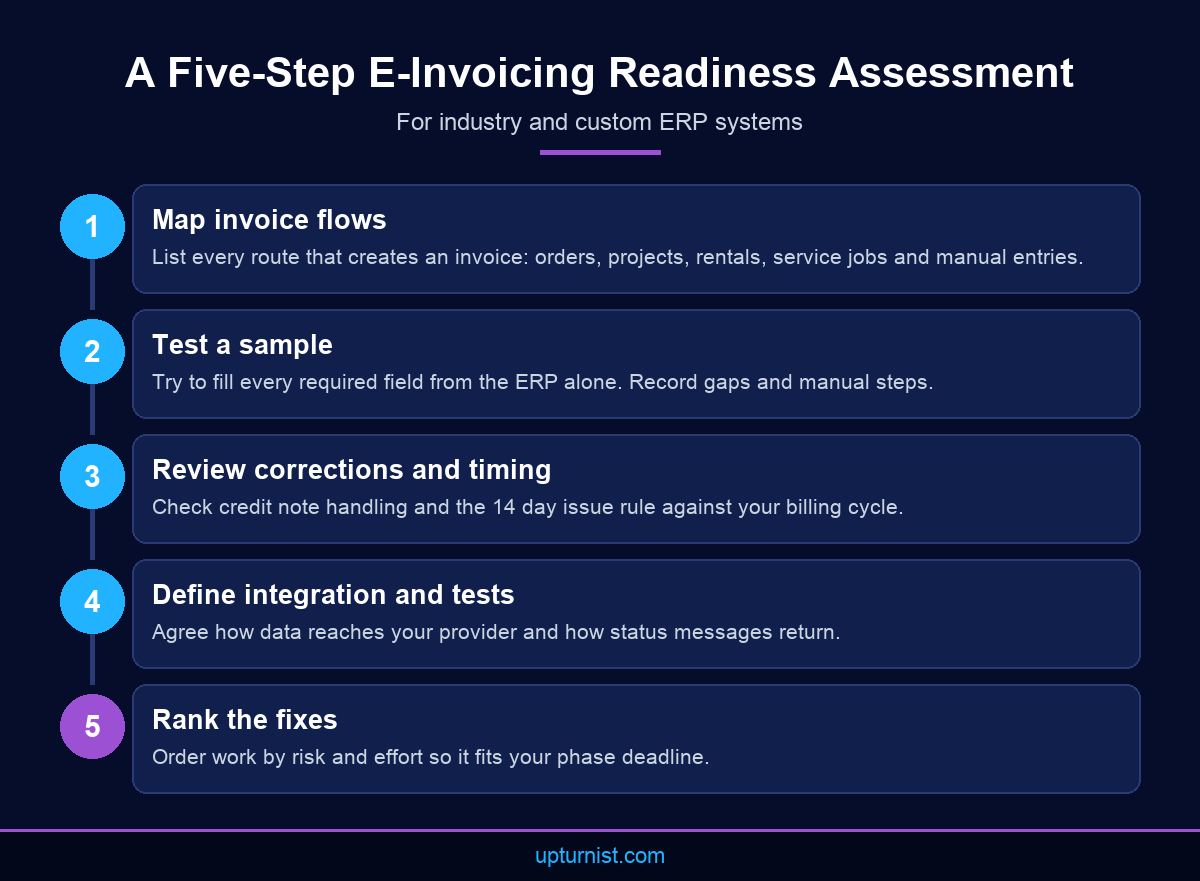
Start by mapping invoice flows. List every way an invoice is created: sales orders, projects, rentals, service jobs
and manual entries. Then take a sample of recent invoices and test whether each required field can be filled from the
ERP alone. Record every gap, every manual step and every spreadsheet that sits between the system and the final
invoice.
Next, review corrections and timing. Decision 243 requires invoices to be issued and transmitted within 14 days of the
transaction date, subject to VAT timelines. Check whether your billing cycle meets that rule. Then define the
integration approach and the test plan. Finally, rank the fixes by risk and effort, so the work fits your phase
deadline.
Keep the findings practical. A good report says which fields are missing, which processes must change and which code
must be written. It also says what can wait until after go live.
Involve the people who use the system every day. Billing clerks, project accountants and site administrators know
where the workarounds are. They know which fields are left blank and which reports are fixed by hand. Their input
makes the assessment accurate and gives them a stake in the changes that follow.
Three Common Custom ERP Scenarios
Fabrication and manufacturing systems often invoice against jobs. One job can have several deliveries and several
partial invoices. Each invoice needs clear line values and tax, even when costs were tracked at job level. E-invoicing
readiness here means checking that every partial invoice can stand on its own as structured data.
Contracting systems often use progress billing, retention and variations. Retention amounts and later releases need to
be shown consistently. Variations that reduce the agreed price may need electronic credit notes. Review these rules
with your finance and tax advisers before testing begins, because they vary between contracts.
Rental systems invoice for time, equipment and operators. Timesheets drive the amounts, so the link between timesheet
approval and invoice creation matters. If a timesheet is corrected after billing, the system needs a controlled credit
note process rather than an edited invoice.
In each case, the template stays simple. The work sits in how the system calculates, records and corrects amounts. A
short e-invoicing readiness checklist for each scenario keeps testing focused and stops surprises in the final weeks.
Working With an E-Invoicing Readiness Consultant for ERP Systems
Some businesses run this work in house. Others bring in an e-invoicing readiness consultant for ERP systems,
especially when the original developers have moved on or the system has grown over many years. The right partner
understands both the rules and the way your operations create invoice data.
Upturnist helps organisations assess existing systems, optimise invoicing processes and prepare ERP platforms for
compliance. Our UAE e-invoicing readiness work
draws on ZATCA Phase 2 implementations in Saudi
Arabia, where integration with the authority’s systems was required. We also build
custom business applications, so we are
comfortable working inside bespoke systems rather than only packaged software.
Process changes often matter as much as code. Credit note approvals, billing cut offs and rejection handling all need
clear owners. Our business transformation team
helps redesign these workflows so the new rules become normal practice.
Ask any partner for a clear scope, a realistic timeline and named responsibilities. You should know who changes the
code, who cleans the data and who signs off testing. Clear roles prevent the last minute gaps that delay go live.
Whatever route you choose, start early. The first UAE deadlines arrive in 2026 and 2027, and custom systems rarely
change quickly. The Ministry of Finance publishes current rules and dates on its
eInvoicing portal.
Conclusion
E-invoicing readiness for industry and custom ERPs is about data, tax logic, corrections and integration. The invoice
template is the easy part. Custom systems usually need code and process changes, so they need more lead time than
packaged software. A short assessment shows the real scope and helps you plan around your phase date. To review your
system with people who understand both your operations and your ERP,
talk to our consultants about a readiness assessment.
Frequently Asked Questions
What does e-invoicing readiness mean for a custom ERP?
It means your system can produce complete, structured invoice data for every transaction, handle corrections as credit
notes and exchange data with an Accredited Service Provider. The visual invoice layout matters very little.
Can we keep our custom ERP for UAE e-invoicing?
Often yes, if it can hold the required data fields and be integrated with a provider. The assessment shows whether
changes are practical or whether replacing parts of the system is the better option.
Why do custom ERPs need more time than packaged software?
Packaged vendors usually release updates for new rules. Custom and industry systems need their own analysis, code
changes and testing. The original developers may also be unavailable, which adds time to every change.
When must an electronic credit note be issued?
Decision 243 lists four cases: a cancelled transaction, a reduced price, consideration returned in full or in part,
and an administrative or numerical error. Each correction must go through the electronic invoicing system.
How quickly must an electronic invoice be issued in the UAE?
Within 14 days from the date of the business transaction, according to Decision 243. VAT registrants must also respect
the invoice timelines in the VAT Law. Billing cycles should be checked against both rules.
Where must electronic invoice data be stored?
Decision 243 requires electronic invoices, credit notes and associated data to be stored within the UAE, for the
period set by the Tax Procedures Law. Check where your ERP and backups keep this data.
Do we need an Accredited Service Provider if our ERP is compliant?
Yes. Issuers and recipients must meet their obligations through an Accredited Service Provider. A compliant ERP
produces good data, and the provider validates, exchanges and reports it on your behalf. Both parts must work
together.
Can Upturnist help beyond invoicing changes?
Yes, if the wider system needs work. Our
enterprise digital transformation work
covers ERP implementation, workflow automation, business intelligence and custom software. Invoicing changes can then
become part of a wider improvement in how your whole business runs.
How do we keep new invoicing processes consistent?
Document them. Clear procedures for credit notes, billing cut offs and rejection handling help teams follow the same
steps. Our SOP development service
helps write, digitise and maintain these procedures as
your processes change.